
Download ActiveInbox – Gmail GTD Extension for Faster Email Management
Overview: Transform Gmail into a GTD‑Powered Productivity Hub
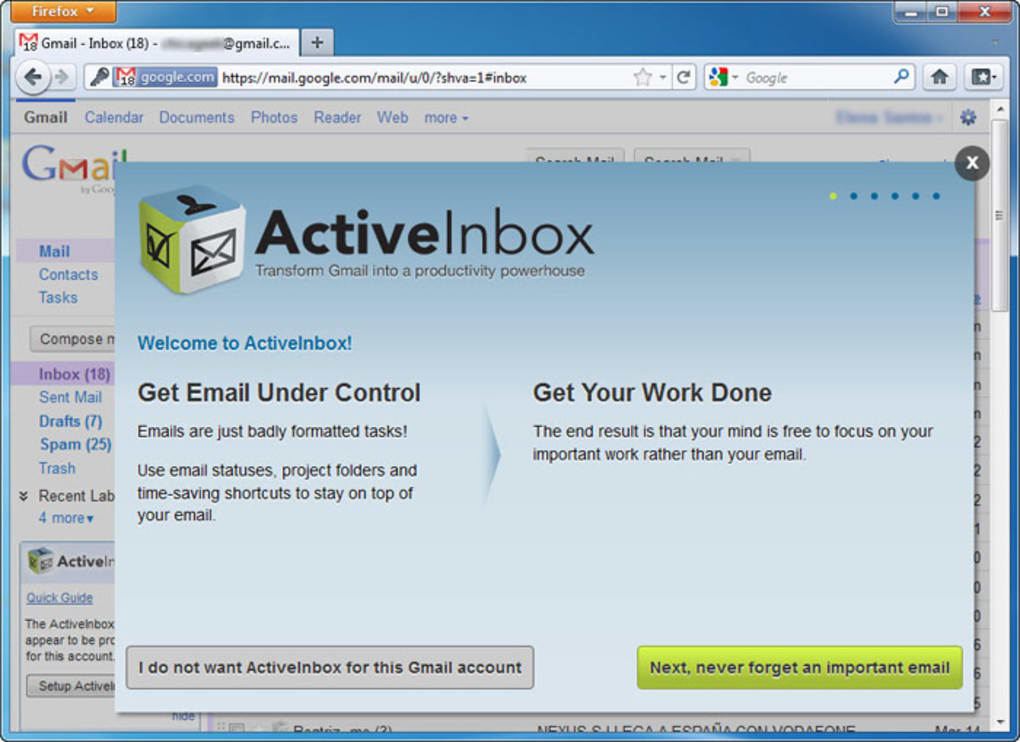
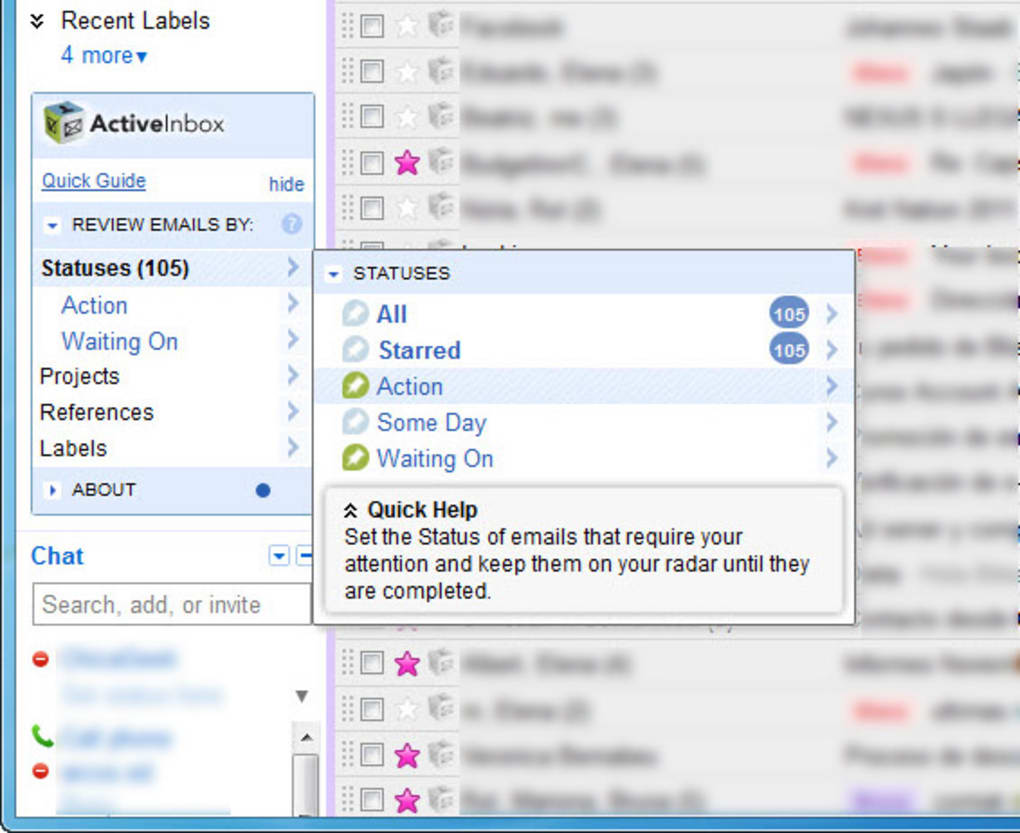
ActiveInbox is a free Firefox plug‑in that brings the Getting Things Done (GTD) methodology straight into your Gmail inbox. By automatically creating GTD‑aligned labels such as Action, Someday and Waiting on, the extension lets you sort, prioritize, and act on emails the same way you would with any other task manager. The moment you install ActiveInbox, a concise onboarding tutorial appears, walking new users through the core concepts of GTD and showing how the extension maps those ideas onto Gmail’s native labeling system. Even if you’re unfamiliar with GTD, the built‑in documentation and video walkthrough make the learning curve gentle.
Because ActiveInbox lives inside your browser, there’s no need to juggle separate desktop applications or mobile apps. Your existing Gmail workflow remains intact; you simply gain an extra layer of organization that helps you spot actionable messages, defer non‑urgent ones, and keep track of items that are waiting for a response. The plug‑in also supports custom label creation, so power users can tailor the system to match their personal or team conventions. Whether you’re a freelancer handling dozens of client threads each day or a corporate employee drowning in internal communications, ActiveInbox promises a clearer, more intentional inbox experience.
The extension is built for the Firefox browser, which runs on all major operating systems. As long as you have a recent version of Firefox (or a compatible Chromium‑based browser using the WebExtensions API), you can install ActiveInbox and start organizing your Gmail the same way across desktop and laptop devices. Mobile users can still benefit indirectly—any label changes you make on the desktop sync instantly to the Gmail mobile apps, keeping your email workflow consistent wherever you are.
Key Features of ActiveInbox
- Automatic GTD Labels: Instantly adds Action, Someday, and Waiting on labels to your Gmail account.
- Custom Label Support: Create additional labels that match your personal project structures.
- Project Grouping: Drag and drop emails into project‑specific labels for easy batch processing.
- Unanswered Email Tracker: Highlights messages that haven’t received a reply, preventing forgotten follow‑ups.
- Contact History View: One‑click access to a chronological thread of all past communications with a contact.
- Quick Reply Templates: Pre‑built response snippets that you can insert directly from the extension.
- Seamless Gmail Integration: Works within the native Gmail interface—no new UI to learn.
- Secure and Private: All data stays within your Google account; the extension never stores email content on external servers.
- Free Updates: Regular improvements and new features are delivered automatically through the Firefox Add‑ons store.
- Cross‑Platform Sync: Changes made on one device appear instantly on all other devices logged into the same Gmail account.
Installation & Usage Guide: Getting Started in Minutes
Installing ActiveInbox is a straightforward process that takes less than five minutes. First, open the Firefox Add‑ons Marketplace and search for “ActiveInbox.” Click the Add to Firefox button, confirm any permission prompts, and the extension will appear in your browser toolbar. Once installed, refresh any open Gmail tab; you’ll notice three new labels automatically created in the left‑hand label list. The extension’s welcome screen then offers a short video tour of GTD fundamentals and demonstrates how to apply the Action, Someday, and Waiting on labels to incoming messages.
Using ActiveInbox in day‑to‑day email handling is intuitive. When an email arrives that requires immediate attention, simply click the Action label button that appears in the Gmail toolbar. For messages you want to defer, select Someday.
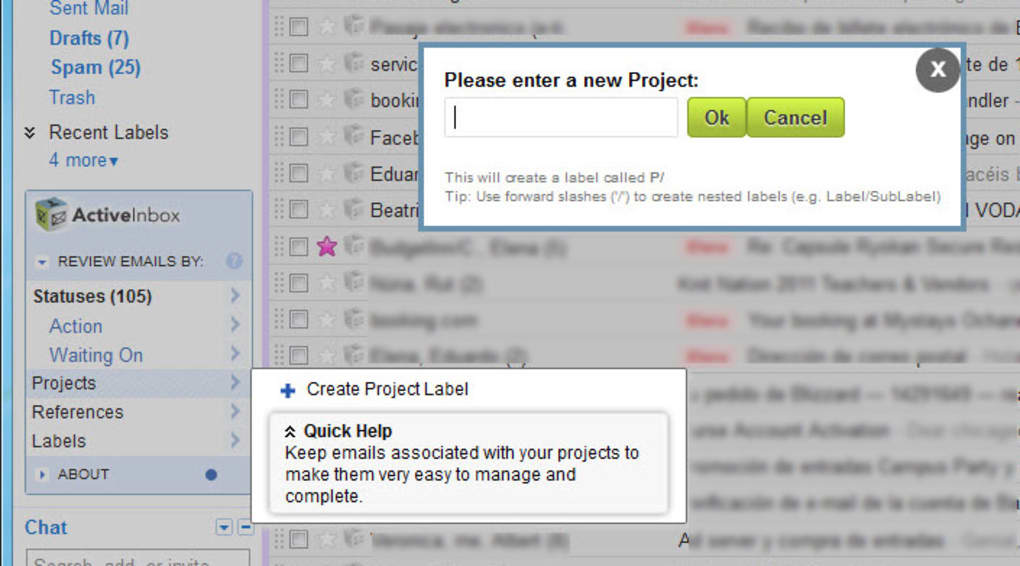
If you’re waiting on a reply, hit Waiting on, and the extension will automatically move the email to a dedicated view where you can monitor outstanding items. To create a custom project label, click the “Create New Label” icon, give it a name (e.g., “Website Redesign”), and start dragging relevant emails into it. The drag‑and‑drop interface works just like the native Gmail label system, ensuring a familiar experience.
Advanced users can leverage the “Unanswered Email Tracker” by enabling the toggle in the extension’s settings panel. Once activated, any email that has not received a response within a configurable timeframe (default 48 hours) will be highlighted in orange, drawing your attention before the conversation slips through the cracks. The “Contact History” feature is accessed by hovering over a sender’s name; a popup shows a timeline of past exchanges, helping you craft more informed replies. Finally, the quick‑reply templates can be customized in the Settings menu—add, edit, or delete snippets that align with your typical responses, saving valuable typing time.
Pros, Cons, FAQ & Final Verdict
Pros
- Free to use with no hidden subscription fees.
- Deep integration with Gmail—no separate app to learn.
- Implements proven GTD methodology for email management.
- Highly customizable labels and workflow options.
- Automatic syncing across all devices linked to the same Gmail account.
- Secure; all data remains within Google’s ecosystem.
- Regular updates delivered via Firefox Add‑ons store.
Cons
- Currently only available for Firefox (no Chrome or Edge version).
- Initial setup may feel overwhelming for users new to GTD.
- Feature set is focused on email; does not integrate with external task managers.
- Heavy reliance on label system—users who dislike Gmail’s labeling may need to adapt.
Frequently Asked Questions
Is ActiveInbox compatible with Chrome?
At the moment ActiveInbox is built as a Firefox WebExtension. A Chrome version is planned for a future release, but you can still use the extension on Chrome‑based browsers that support the WebExtensions API by installing it manually.
Do I need a Google Workspace account?
No. ActiveInbox works with any standard Gmail account, whether it’s a personal @gmail.com address or a Google Workspace (formerly G Suite) business account.
Can I import existing Gmail labels into ActiveInbox?
ActiveInbox respects all existing labels. It adds its own GTD labels without altering your current structure, so you can continue using any pre‑existing labels alongside the new ones.
How does the extension keep my data secure?
ActiveInbox never stores email content on external servers. All label operations are performed locally within your browser and synced through Google’s own secure APIs, ensuring that your data remains private.
Is there a paid version with extra features?
ActiveInbox is completely free. The development team has indicated that future premium features may be introduced, but the core GTD functionality will remain free for all users.
ActiveInbox delivers a solid, free solution for anyone looking to apply GTD principles to their Gmail workflow. Its automatic label creation, intuitive drag‑and‑drop project grouping, and built‑in unanswered‑email tracker dramatically reduce inbox clutter. While the lack of a Chrome version may limit adoption for some, the Firefox experience is smooth, secure, and well‑supported. Overall, the extension earns a strong recommendation for both GTD veterans and newcomers seeking a more organized email life.
Conclusion: Boost Your Gmail Productivity Today
If you’ve been searching for a way to bring order to an overflowing inbox without abandoning Gmail, ActiveInbox is the answer. By marrying the proven GTD framework with a seamless browser extension, it empowers you to act on important messages, defer the rest, and keep track of pending replies—all from the familiar Gmail interface. The free price tag, regular updates, and strong privacy stance make it a risk‑free addition to your productivity toolkit. Download ActiveInbox now, enable the GTD labels, and start turning email chaos into clear, actionable steps.







